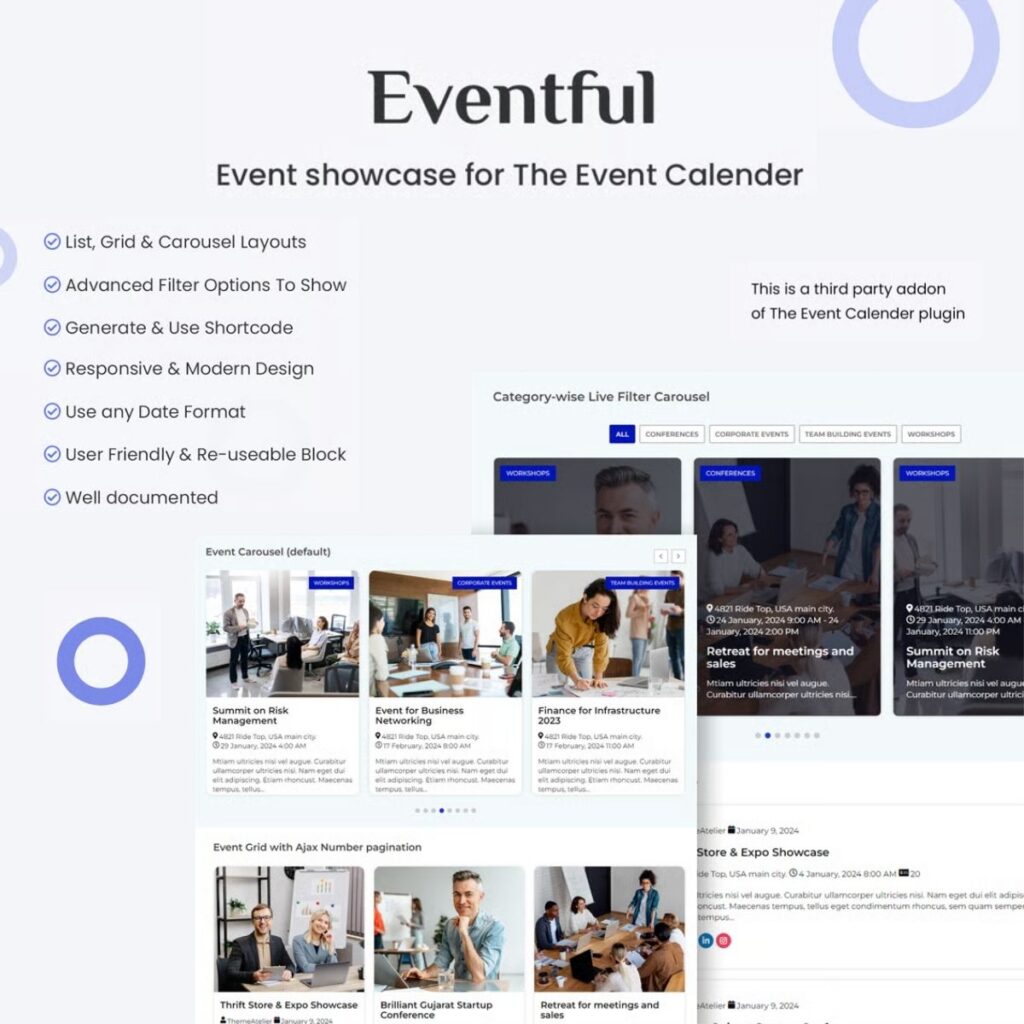
Unlock the full potential of “The Events Calendar” plugin, already trusted by a community of over 700,000 active users, with our innovative addon, “Eventful.” Designed to seamlessly enhance your event management experience, “Eventful” offers a range of powerful features and tools that empower you to take your event showcasing to the next level.
Key Features:
- Versatile Layout Options: Choose from multiple layout styles including List, Grid, and Carousel, allowing you to showcase events in a format that suits your website’s aesthetic.
- Advanced Carousel Display: Elevate your event presentation with an advanced carousel featuring Ticker, Centered, and Standard modes for an eye-catching display.
- Precision Event Filtering: Use advanced filter options to selectively display events, ensuring your audience sees precisely what they’re looking for.
- Effortless Shortcode Generation: Generate and use shortcodes with ease, simplifying the process of embedding events wherever you need them on your website.
- Responsive & Modern Design: “Eventful” boasts a responsive and modern design, ensuring your events look great on all devices and screens.
- Flexible Date Formatting: Tailor your event date format to suit your specific requirements, accommodating various date presentation styles.
- User-Friendly Interface: Enjoy a user-friendly UI that makes event management a breeze, and easily sorts event blocks for seamless organization.
Please note that “Eventful” is a third-party addon for “The Events Calendar” plugin. It’s designed to work seamlessly alongside the plugin, enhancing its capabilities and offering you an array of customization options to showcase your events in the best possible way.